eCatcher 6.5
Uses Talk2M cloud industrial services to connect you to remote devices
 Download
Program info
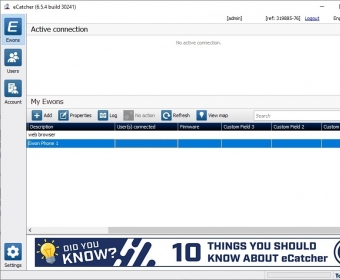




eCatcher is a client you can use to connect your machine via eWON routers. Thus, the software gives you access to the Talk2M cloud, and consequently, lets you connect securely to remote machinery. Luckily, there are many devices compatible with the Talk2M cloud, which is a highly reliable and redundant industrial service.
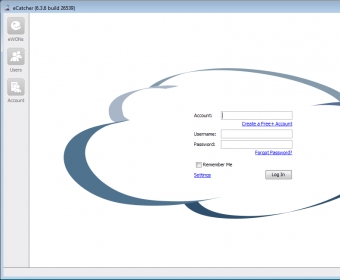
The program requires creating and authenticating to an eCatcher account. Once you do that, you can see all the eWON routers available to your account. Then, you just pick one of those routers to start a secure connection.
Additionally, you need to register your eWON-compatible devices, which are easily configured with the help of a wizard. Fortunately, the app´s geolocation helps you find your devices more easily. Additionally, you need to choose your type of connection: Ethernet, Wi-Fi or 3G/4G. Likewise, you need to say how you want the device to get its IP address, which can be done automatically or manually. Finally, you should provide the machine’s IP and subnet mask.
Connecting to your remote machines through eCatcher provides various advantages. For instance, in relation to security, the app comes with a series of firewall profiles to restrict unauthorized remote access to eWON devices. Likewise, it uses strong password enforcement and two-factor authentication policies, which means that you need to enter not only your password but also the confirmation code you receive on your phone. Moreover, the administrator can easily trace connections and their durations. More
Pros
- Accesses a reliable and redundant industrial cloud service
- Geolocation
- Strong security
- Supports tracing connections
Cons
- May fail to connect you to certain kinds of remote devices
Details
Extensions

No information available
The data will be available later.Awards


Related software

An application that helps you manage multiple remote connections

It is an application that allows you to view all of your remote connections.

Streaming video and audio/MP3 downloader.
Related stories
See all
Learn how to set up Windows 11 parental controls or try the options (Kurupira, KidLogger, OurPact, Screen Time) to protect minors online.

Secure Boot in Windows loads only trusted apps, protecting against malware. It is also needed for many AAA games. here is how to enable it (even on old PCs).

Tech outlets buzz over an alleged Gmail passwords leak. Google denies mass alert, advises regular vigilance and common sense measures. What has really happened? Read on to learn.